 Yargı PRO Desktop · Mac and Windows
Built for lawyers
Whether you use Claude, ChatGPT or Gemini, we’ve given your AI a superpower in Turkish law.
- No payment details needed
- AI subscription billed separately
- UYAP connection on Solo and above
Three steps
Bring your own AI
Choose your AI
Pick the one that works best for you.
Four more appsNames and icons are trademarks of their owners.
Connect Yargı PRO
Connect it to the AI you want with one click.
Take on hard, complex work
Manage your most complex cases with the world’s leading AI models.




 Claude Desktop · with Yargı PRO tools
- Read the documents you added
- Searched case law in Yargı PRO
- Returned the decision with its citation
App screen simplified
Your case file downloads to your computer; your AI sends the documents it reads to its own provider.
01Where does my file go?
You’re safe
Your file doesn’t come to us.
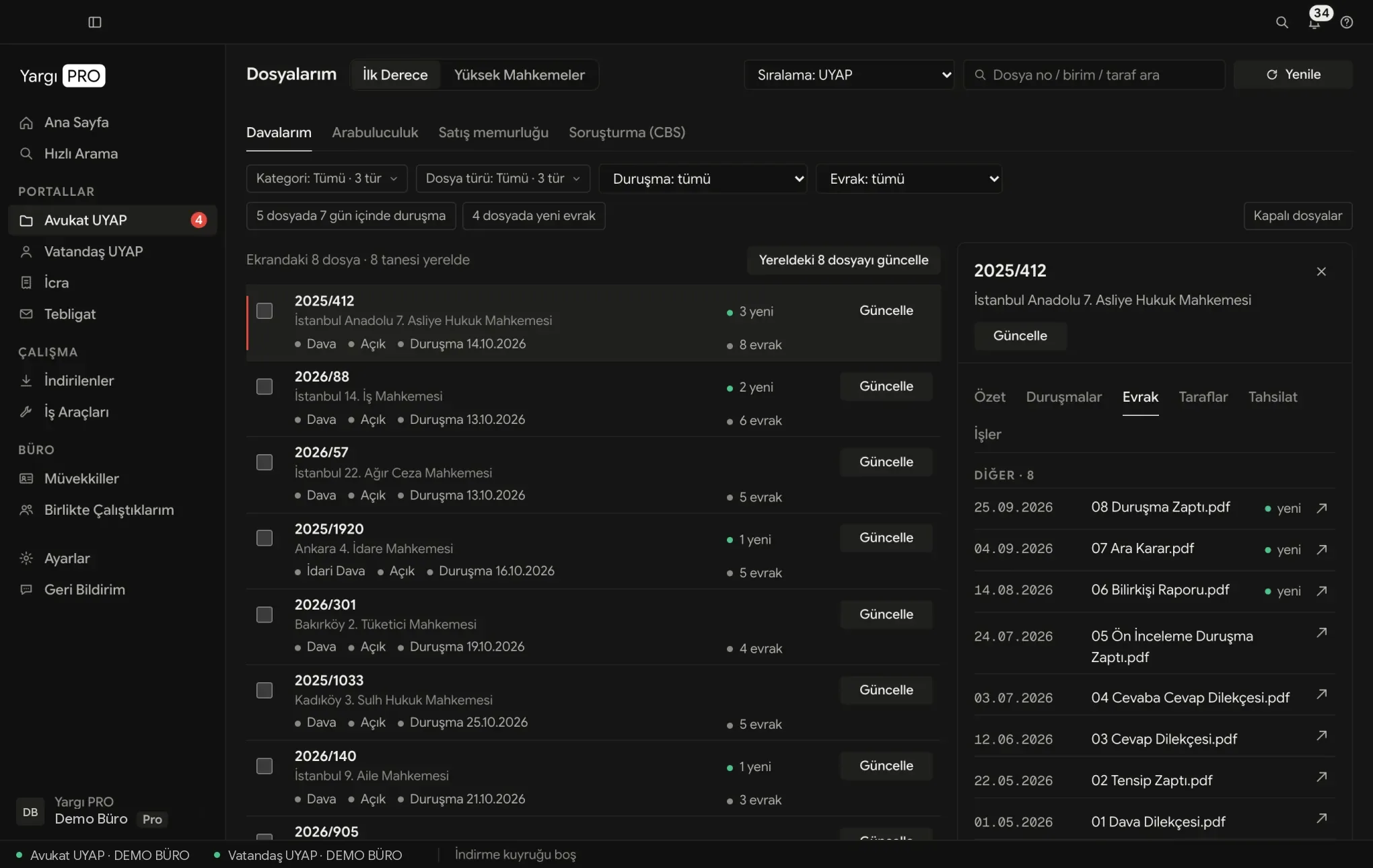
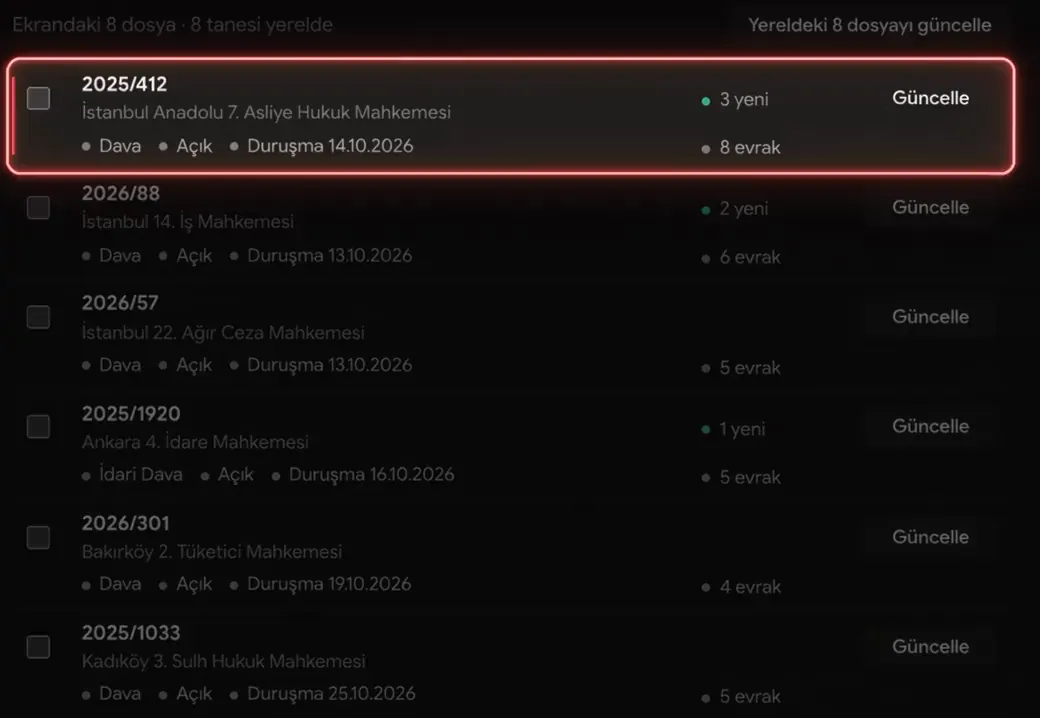
- Downloads. It comes from UYAP to your computer with your own e-signature.
- Converts. Documents with text are converted to readable text right there.
- You open. The AI you open the folder with sends documents to its own provider; search queries come to us.

02How does it work with UYAP?Solo and above
Continuously optimised for UYAP
03Which AI does it work with?
Connect the AI tool you want
Connects to seven apps with one click. You choose the model from your subscription; no update from us is needed for a new model.
Once connected, it searches case law, legislation and the Official Gazette through Yargı PRO and returns each decision with its citation and link.
BDDK · BTK · KVKK · Competition Authority · SPK · KİK · Court of Accounts · GİB · EPDK · KDK · TBB Discipline · Court of Jurisdictional Disputes · Insurance Arbitration · Advertising Board · HSK · MKK · Borsa İstanbul · TSPB
One-click connections
- Claude Desktop
 ChatGPT (Codex)
 Gemini (Antigravity)
 OpenCode
 Cline
Cline Kimi Code
 Hermes Agent
- AI subscription billed separately.
- Cloud AI providers are outside Türkiye.
Names and icons are their owners’ trademarks, used only to show compatibility.
04Desktop appSolo and above
What else does it do?
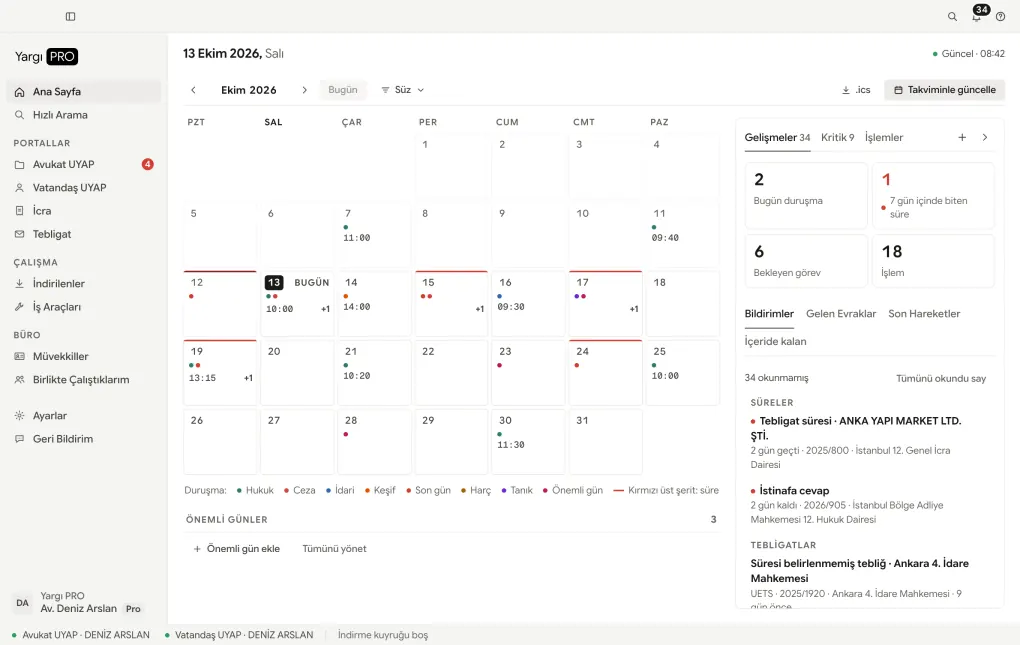
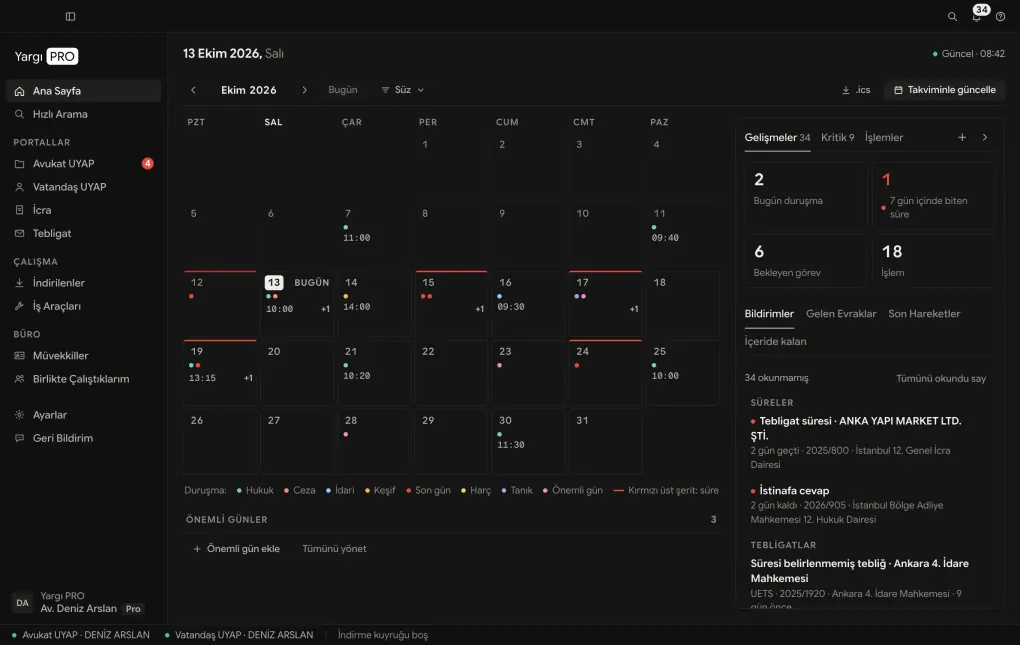
Deadlines, service of documents, enforcement and client work in one window without going back to UYAP; records stay on your computer.
- Deadlines
- Shows the calculation trail; you confirm the last day.
- Service
- PTT, UETS and UYAP service records in one list.
- Enforcement
- Suggests request drafts; you file them.
- Clients
- Client cards are built from your cases.
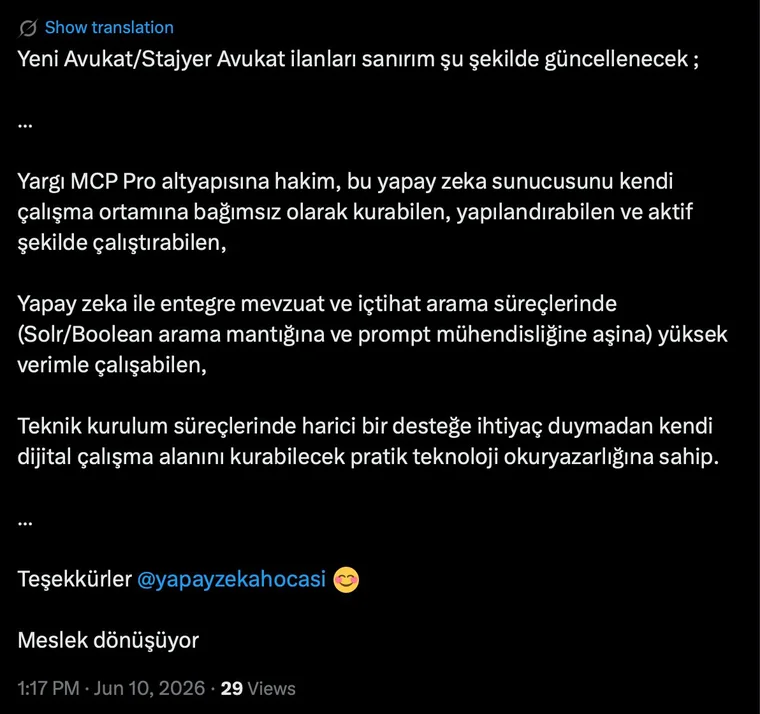

05From the field
What lawyers say
Try it free for 14 days. No credit card required.
- AI subscription billed separately
- UYAP connection on Solo and above
At least one release every week since September 2026.


Questions before you install
Something else? Write to info@yargipro.com.
You pick the cases; documents download one by one, at intervals. Background reads such as notifications and enforcement files are infrequent and can be turned off in Settings; automatic enforcement queries are off by default. If UYAP reports a restriction while a case downloads, the app waits once; if it repeats in the same download, it stops and asks for your approval to continue. On 8 October 2026 UYAP announced that it will block access if it detects unusually heavy activity by AI tools or bots. Access is UYAP’s decision and complying with UYAP’s terms of use is your responsibility; we cannot guarantee that your access won’t be restricted. Yargı PRO is an independent product with no official relationship with the Ministry of Justice or UYAP.
Straight from UYAP to your computer; by default into YargiPRO in your Documents folder, and you can change the folder in Settings. On Windows, if OneDrive is set up, the app may create the case folder in OneDrive’s Documents; you can see and change it in Settings. If your Documents folder syncs with OneDrive or iCloud, the documents go to that service too. The app doesn’t send file contents to our servers. As content, search queries reach us: what your AI sends to the Yargı PRO tools and what you type into Quick Search; if your AI puts a sentence from a document into a query, that text reaches us too. Account and session data, app version, operating system and IP address, a download permission request that doesn’t identify the file, and feedback you choose to send also reach us. Documents sit on your computer as unencrypted files; we recommend turning on disk encryption (FileVault or BitLocker).
Yes. The AI app you open the case folder with, or add a file to, sends the documents it reads to its own provider. The account, plan and data settings are yours; Yargı PRO is not on that path. You are the data controller: cloud AI providers are outside Türkiye, and assessing the transfer under KVKK Article 9 is up to you. For client documents we recommend an enterprise setup that doesn’t retain data. You can also connect a model running on your computer (for example LM Studio); small models use tools poorly, so check the results.
The app connects Yargı PRO to seven AI apps with one click: Claude Desktop, Codex in the ChatGPT app, Antigravity, OpenCode, Cline, Kimi Code and Hermes Agent. The guide has 19 setup guides. In apps that work with folders (for example Codex or Claude Code) you open the case folder as the working folder; its index lists the case’s documents in date order. In Claude Desktop’s conversation view you add the file yourself. If you use claude.ai in the browser, the research tools work there, but the case folder on your computer isn’t visible. Support and results vary by app.
No. You sign in to UYAP from your own computer: the Lawyer Portal with your e-signature or e-Devlet, and UETS also with a mobile signature or your UETS password. Your password doesn’t reach us. So you can sign back in when a session drops, your PIN is stored on this computer with the operating system’s encryption service; it doesn’t go to our servers or your AI provider. “Disconnect” in Settings deletes the saved PIN.
No. The Yargı PRO subscription covers the app and the legal research tools; we don’t sell AI models. To work with AI you need your own Claude, ChatGPT or other AI account, which you pay that company for. You choose the model from your subscription; no update from us is needed for a new model. The calendar, notification, deadline and enforcement screens work without an AI account. Plan prices are on the Pricing page.
Documents with text (UDF, Word, HTML, email, PDFs with a text layer) are converted into text your AI can read. Scanned documents and TIFF images are kept as PDF and not converted to text; an app and model that read images can read them, so check the result. You can read UDF on every plan. Writing and converting UDF is in Solo and above; your AI does it with Yargı PRO tools.
The Deadlines screen calculates the last day from the service date, accounting for judicial recess and public holidays, and shows the trail of the calculation. While the app is open it notifies you seven, three and one day before the last day. The calculation is an aid; confirm the last day against the legislation. Enforcement › “Automatic query” is off by default; if you turn it on, it only queries within UYAP’s free allowance. If a new record appears under the debtor’s name, it suggests a request draft; the draft isn’t sent to UYAP, you review it and file it yourself.
Yargı PRO Desktop’s UYAP and UETS connection is in Solo and above. Mini is a research plan: you use case law and legislation search and 100+ Turkish law skills in your own AI; there is no UYAP connection. Pro adds decisions of 18 authorities and priority support. The 14-day trial is Pro and needs no payment details; nothing is charged when it ends and no subscription starts automatically; access stops and the plan selection screen opens. Files already on your computer stay with you. Monthly plans have no commitment. Firms can bring Solo and Pro users together in one 12-month office membership.
macOS 13 (Ventura) or later, on Apple Silicon and Intel Macs; on Mac, move the app to the Applications folder. 64-bit Windows; installation needs no administrator rights, and in its first weeks Windows may show a SmartScreen warning. There is no Linux version. The app walks you through the first launch step by step; the guide has short videos for connecting Claude, Codex and Antigravity. To sign in with an e-signature, have your card, card reader and e-signature software ready. If you get stuck, write to info@yargipro.com.
06Getting started
How do I start?
- Sign up, install the appmacOS 13 or later, or 64-bit Windows.Download
- Connect your AIClaude Desktop, ChatGPT (Codex) or Gemini (Antigravity); one click.Setup guide
- Pick your first caseSign in to UYAP with your e-signature and tick the case.
- No payment details needed
- AI subscription billed separately
- Nothing is charged when the trial ends